
WordPress Experts

The Rise of Headless WordPress: Unleashing Flexibility, Performance, and Complex Applications

Unlocking the Power of Headless WordPress: Flexibility, Performance, and Complexity. Explore the Benefits of Decoupling WordPress!
The Rise of Headless WordPress: Unleashing Flexibility, Performance, and Complex Applications

In the ever-evolving world of web development, the concept of headless content management systems (CMS) has been gaining significant traction. Among the frontrunners in this arena is WordPress, a name synonymous with traditional CMS. However, the emergence of “headless WordPress” represents a paradigm shift that combines the familiar ease of WordPress with the flexibility, performance benefits, and the capability to develop complex applications. In this article, we’ll explore the rise of headless WordPress, its growing trend, and the myriad benefits it offers.

Understanding Headless WordPress

Before diving into the advantages, let’s clarify what headless WordPress entails. Traditionally, WordPress is known for its monolithic structure, where it handles both content management and presentation (the “head”). However, in the headless approach, WordPress is decoupled from its frontend presentation layer. Instead, WordPress serves solely as a content repository and API provider, while the frontend is handled separately, often using modern JavaScript frameworks like React, Angular, or Vue.js.

The Benefits of Headless WordPress

   1. Flexibility and Freedom of Technology Choice

Headless WordPress liberates developers from the constraints of WordPress themes and templates. You have the freedom to choose any technology stack for the frontend, enabling the creation of highly customized, lightning-fast, and interactive web applications.

   2. Enhanced Performance

By separating the frontend from the backend, headless WordPress can deliver exceptional performance. The frontend can be optimized for speed, making your website load faster and ensuring a seamless user experience.

   3. Improved Security

Decoupling the frontend from the backend can enhance security. Vulnerabilities in the frontend code won’t necessarily compromise the WordPress backend. Additionally, security updates can be applied independently to both layers.

   4. Scalability

Headless architecture scales effortlessly. You can add more frontend servers or services as needed, making it suitable for high-traffic websites and applications.

   5. Ease of Content Management

Content editors can continue to use the familiar WordPress admin interface to create and manage content. The decoupled frontend pulls content from the WordPress API, ensuring content consistency.

   6. Multi-Channel Publishing

With a headless approach, you can easily publish content to multiple channels, such as websites, mobile apps, IoT devices, and more, all from a single content source.

   7. Future-Proofing

As technology evolves, a headless WordPress setup ensures adaptability. You can update the frontend independently, keeping your website modern and aligned with emerging trends.

Real-World Examples of Complex Websites Built with Headless WordPress

Several notable organizations have adopted headless WordPress to great effect:

  1. The New York Times: The renowned news publication adopted a headless WordPress approach to streamline content delivery across various digital platforms while maintaining editorial control and content consistency.
  2. TechCrunch: TechCrunch uses headless WordPress to power its content management and then leverages modern JavaScript frameworks to provide a responsive and fast user experience.
  3. AstraZeneca: The pharmaceutical giant utilizes headless WordPress to manage a vast amount of medical and scientific content efficiently, delivering it to healthcare professionals worldwide via various channels.

Developing Complex Applications with Headless WordPress

One of the most remarkable features of the headless WordPress approach is its ability to handle the development of complex applications with ease. While traditional WordPress may have limitations when it comes to building intricate web applications, the headless architecture empowers developers to create sophisticated and highly interactive digital solutions.

  1. Custom Functionality: With headless WordPress, developers can build custom functionality without the constraints of WordPress themes and templates. This means you can integrate complex features like user authentication, real-time chat, e-commerce systems, or dynamic data visualization into your application.
  2. API-First Approach: Headless WordPress relies on its RESTful API or GraphQL endpoints to deliver content. This API-first approach allows developers to fetch data and interact with WordPress from any frontend technology. This makes it perfect for building single-page applications (SPAs) and progressive web apps (PWAs).
  3. Modular Development: Headless WordPress allows for modular development, where different parts of your application can be developed separately and integrated seamlessly. This approach simplifies debugging, maintenance, and updates.
  4. Enhanced User Experience: Complex applications often require real-time updates and interactions. Headless WordPress, when combined with JavaScript frameworks like React or Vue.js, can deliver dynamic user experiences that rival native applications.
  5. Scalability and Performance: When dealing with complex applications, performance is critical. Headless WordPress’s separation of concerns allows for the optimization of both frontend and backend independently, resulting in faster load times and a responsive user interface.

Real-World Examples of Complex Applications

  1. Interactive Learning Platforms: Educational institutions and e-learning platforms leverage headless WordPress to create interactive and personalized learning experiences. Students can access a wide range of content, submit assignments, and participate in discussions through a dynamic and responsive interface.
  2. Real-Time Analytics Dashboards: Businesses use headless WordPress to develop real-time analytics dashboards that provide insights into their operations. These dashboards can pull data from various sources and present it in a visually appealing and user-friendly manner.
  3. E-commerce Marketplaces: Complex e-commerce platforms often adopt the headless approach to manage a large catalog of products, process transactions, and offer advanced search and recommendation features while maintaining a high level of performance and scalability.

The rise of headless WordPress marks an exciting evolution in the world of web development and content management. By decoupling the backend from the frontend, it offers unparalleled flexibility, enhanced performance, and the ability to develop complex and feature-rich web applications.

Whether you’re looking to build a custom e-learning platform, a real-time analytics tool, or a sophisticated e-commerce marketplace, headless WordPress can provide the flexibility and performance you need to bring your vision to life. As technology continues to advance, embracing headless WordPress may be the path to staying ahead in the digital landscape.

Reach out to us via [email protected] or Whatsapp (+256) 774-633091 for a custom solution with Headless, we are the WordPress Experts UG.

WordPress Experts

10 Essential Integrations for Your WordPress Website: Elevating Functionality and User Experience

These integrations enable seamless connections with various tools, services, and applications, enhancing functionality, improving efficiency, and fostering engagement with visitors.
https://wordpress.ug/wp-content/uploads/2023/08/10-Essential-Integrations-for-Your-WordPress-Website-Elevating-Functionality-and-User-Experience.jpg

In today’s ever-evolving digital landscape, a well-integrated website is not just a luxury but a necessity. As businesses and individuals strive to deliver exceptional user experiences and optimize online operations, WordPress offers an array of integrations that can transform a standard website into a powerful and dynamic online platform. These integrations enable seamless connections with various tools, services, and applications, enhancing functionality, improving efficiency, and fostering engagement with visitors.

In this comprehensive article, we will explore the ten must-have integrations for your WordPress website. Whether you run an e-commerce store, a service-based business, or a content-driven blog, incorporating these integrations will propel your website to new heights and ensure it stands out amidst the vast sea of online competition.

   1. Google Analytics Integration

An indispensable integration, Google Analytics provides invaluable insights into your website’s performance. By tracking user behavior, traffic sources, and content interactions, you can make data-driven decisions to optimize your site’s design and content strategy, improve user engagement, and achieve your business goals.

   2. SEO Plugin Integration

For a strong online presence, integrating a powerful SEO plugin like Yoast SEO or All in One SEO Pack is essential. These plugins offer features such as on-page optimization, XML sitemap generation, and social media integration, enabling your website to rank higher in search engine results and attract a wider audience.

   3. Contact Form Integration

Effective communication with your website visitors is vital for building trust and nurturing leads. Integrate a user-friendly contact form, such as Contact Form 7 or WPForms, to encourage inquiries, feedback, and interaction with your audience.

   4. E-commerce Integration

If you operate an online store, integrating an e-commerce plugin like WooCommerce is a game-changer. With seamless product management, secure payment gateways, and flexible shipping options, this integration empowers you to create a professional and user-friendly shopping experience for customers.

   5. Email Marketing Integration

Harness the power of email marketing by integrating your website with popular email marketing services like Mailchimp or Constant Contact. Automate email campaigns, manage subscriber lists, and engage your audience with personalized content, driving brand loyalty and boosting conversions.

   6. Social Media Integration

Amplify your website’s reach and encourage content sharing by integrating social media buttons and widgets. With easy-to-use sharing options, your visitors can promote your content across different platforms, expanding your brand’s presence and attracting new audiences.

   7. Security Plugin Integration

Protecting your website and its users is of utmost importance. Integrate a reliable security plugin like Sucuri or Wordfence to fortify your website against threats, monitor for malware, and enhance login security, ensuring a safe and trustworthy environment for visitors.

   8. Performance Optimization Integration

A faster website translates to better user experiences and improved search engine rankings. Integrate performance optimization plugins like W3 Total Cache or WP Rocket to reduce page load times, optimize images, and enhance overall website speed.

   9. Payment Gateway Integration

For websites accepting payments, integrating a secure and user-friendly payment gateway like PayPal or Stripe is crucial. This integration enables smooth and secure transactions, instilling confidence in your customers during the checkout process.

   10. Google My Business Integration

For local businesses, Google My Business is a must-have integration. It allows you to manage your business listing, respond to customer reviews, and showcase essential information like operating hours and location. This integration enhances your local search presence and fosters better engagement with your community.

Integrating these ten essential plugins into your WordPress website empowers you to create an exceptional online experience for your visitors while streamlining your business operations. From understanding user behavior through analytics to optimizing content for search engines and facilitating seamless communication, each integration serves a critical role in driving success and achieving your website’s objectives.

As you embark on the journey of enhancing your website, remember to select reputable plugins, customize them to suit your unique needs, and keep them regularly updated to ensure optimal performance and security. By leveraging the power of these integrations, your WordPress website will flourish and make a lasting impact in the digital realm.

Reach out to us via [email protected] or Whatsapp (+256) 774-633091 for assistance in upgrading your website with custom integrations.

WordPress Experts

The Importance of User Experience in Website Design

In today’s digital age, having a website is essential for any business to succeed. However, simply having a website is not enough. Your website must also provide an exceptional user experience (UX) to effectively engage visitors.
https://wordpress.ug/wp-content/uploads/2023/01/The-Importance-of-User-Experience-in-Website-Design.jpg

In today’s digital age, having a website is essential for any business to succeed. However, simply having a website is not enough. Your website must also provide an exceptional user experience (UX) to effectively engage visitors and achieve your business objectives. In this blog post, we will discuss the importance of user experience in website design and how it can impact your business.

What is User Experience (UX)?

User experience, or UX, refers to the overall experience that a user has while interacting with a website or application. It encompasses everything from the ease of navigation to the design and layout of the website, the quality of the content, and the speed at which pages load.

The goal of UX is to create a positive and seamless experience for the user that is intuitive, efficient, and enjoyable. Good UX design is important because it helps to keep users engaged, promotes trust, and encourages them to return to your website again and again.

Why is User Experience Important in Website Design?

   1. First Impressions Matter

Your website is often the first point of contact that a potential customer has with your brand. A well-designed website with a great user experience can create a positive first impression and help to establish trust and credibility with your audience. On the other hand, a poorly designed website can quickly turn visitors away and damage your brand’s reputation.

   2. User Engagement

User engagement is crucial to the success of any website. If your website is difficult to navigate, slow to load, or lacks clear calls to action, visitors will quickly become frustrated and leave your site. A well-designed website with a great user experience, on the other hand, can encourage visitors to spend more time on your site, explore your content, and ultimately convert into customers.

  3. Search Engine Optimization (SEO)

User experience is also important for search engine optimization (SEO). Search engines like Google place a high value on websites that provide a great user experience. If your website is well-designed and easy to use, it will rank higher in search results, leading to increased visibility and traffic.

Read more about our Search Engine Optimization Services.

   4. Brand Image

Your website is a reflection of your brand. A poorly designed website can damage your brand image and turn potential customers away. A well-designed website with a great user experience, on the other hand, can help to reinforce your brand’s values, and messaging, and position you as a leader in your industry.

  5. Increased Conversions

Ultimately, the goal of your website is to convert visitors into customers. A great user experience can help to make this happen by making it easier for visitors to find what they are looking for and take the desired action. By optimizing your website for user experience, you can increase conversions and ultimately drive more business.

Key Phases of User Experience Design

By paying attention to the key phases and principles involved in UX design, UX designers can create engaging, user-friendly digital experiences that meets the needs of both the business and its target audience. These phases typically include;

  1. Research: The first phase of UX design is research, which involves gathering information about the target audience, their needs, and their preferences. This information can be collected through surveys, interviews, user testing, and other methods.
  2. Analysis: After gathering data in the research phase, the next step is to analyze it to identify patterns and insights. This analysis can help to inform the design process by revealing user needs, pain points, and opportunities.
  3. Design: In the design phase, UX designers use the insights gained from research and analysis to create wireframes, mockups, and prototypes of the user interface. This phase involves making decisions about layout, navigation, content, and other design elements that will impact the user experience.
  4. Testing: Once the design is in place, UX designers conduct testing to gather feedback from users. This testing can involve usability testing, A/B testing, and other methods to evaluate the effectiveness of the design and identify areas for improvement.
  5. Implementation: After testing and refining the design, the next phase is implementation, which involves actually building the user interface. This can involve working with developers and other stakeholders to ensure that the design is implemented correctly and meets the needs of the target audience.
  6. Maintenance: The final phase of UX design is maintenance, which involves ongoing monitoring and refinement of the user interface. This can include making updates based on user feedback, fixing bugs, and optimizing the design for performance and usability.

Throughout each of these phases, UX designers work to understand the needs and preferences of the target audience, evaluate design options, and create intuitive interfaces that meet user needs.

Conclusion

In today’s competitive online landscape, having a website with a great user experience is essential to the success of your business. By focusing on the needs and preferences of your users, you can create a website that engages visitors, reinforces your brand image, and ultimately drives business growth. So, if you want to stay ahead of the competition, be sure to prioritize user experience in your website design.

Related article: Optimize your WordPress Website for the Best Performance

Do you need professional help on your WordPress website? Reach out to us via email [email protected] or Whatsapp (+256) 774-633091

WordPress Experts

3 Things Your Business Website Must Be in 2024

You do not need anything called a website,
you need your business website to be a tool that will generate for you online business.

On-Page SEO

In today’s fast-paced digital landscape, having just any website is no longer sufficient. Your business website should be a powerful tool that drives online business and generates leads. Here are three crucial factors to prioritize in 2024 to ensure your website delivers the best results:

1. Make Your Website a Lead-Generating Tool

Having a business website should be about more than just an online presence; it should be a channel for driving sales and generating leads. Ensure your website engages visitors beyond just reading content. Implement features like live chat prompts, interactive forms, and call-to-action buttons that encourage user interaction.

2. Ensure Optimum Website Performance for the Best User Experience

User experience is paramount. A website should provide a smooth and enjoyable experience without frustrations such as slow loading times, non-functional buttons, or missing features on mobile versions. Regularly test your website to identify and fix these issues, ensuring that visitors can navigate and interact with your site effortlessly.

3. Give Attention to Search Engine Optimization & Analytics

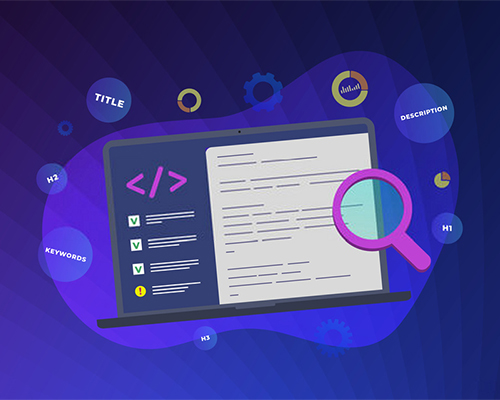
SEO is critical for website performance and visibility. Ensure all your pages are optimized for search engines with effective meta titles, descriptions, and relevant keywords. This helps improve your SERP rankings and attract more clicks.

Utilize tools like Google Analytics to gain insights into your audience’s behavior, identify which content performs best, and understand where your traffic originates. This data will guide you in optimizing content for better conversions and reducing effort on less effective areas.

Conclusion

Investing in your website’s growth is essential for achieving the desired conversions. A well-optimized, lead-generating website can become your business’s primary channel for growth. While there are many ways to enhance your website, these three factors provide a strong foundation for 2024.

If you need expert assistance to transform your website into a powerful business tool, explore our portfolio and get in touch with us. We are here to help you achieve your digital goals.

Need expertise help to do it for you?

If you are not a web expert, we can assist you achieve your dream and convert your website to a business tool ready to make conversions for you. Explore our Portfolio and we will assist you join the club.

What do you think? Email us via [email protected]

If you need to explore more of our web services, explore here.